

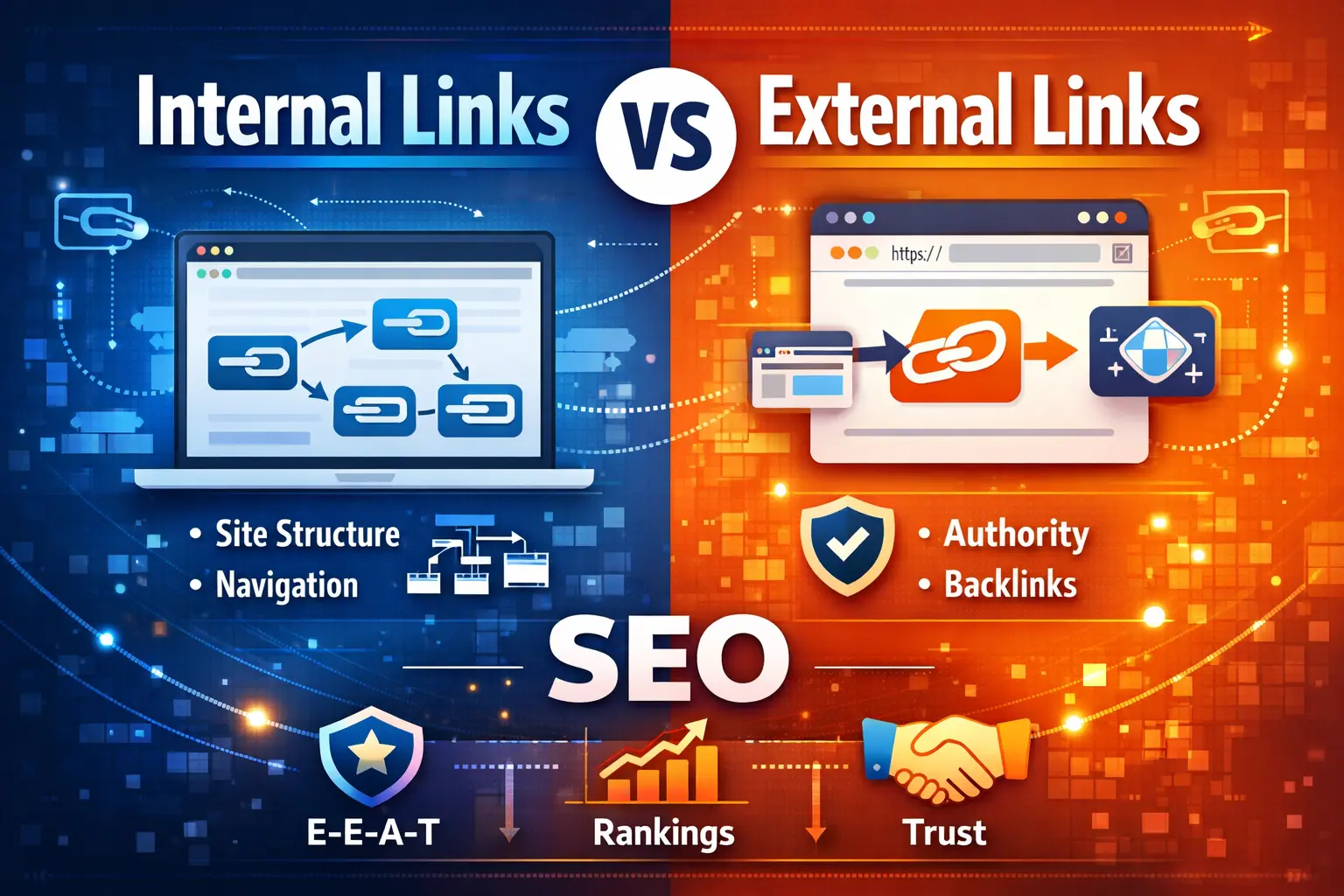
Links are one of the most important ranking factors in SEO, yet they are often misunderstood or poorly implemented. Whether you run a blog, business website, or eCommerce store, knowing the difference between internal links and external links is essential for improving rankings, user experience, and website authority.
In this expert, EEAT-focused guide, I’ll explain internal linking vs external linking, why both matter, best practices, common mistakes, FAQs, and how to use them together for long-term SEO success.
What Are Internal Links in SEO?
Internal links are hyperlinks that connect one page of a website to another page on the same domain.
Example of an Internal Link
If a blog post links to a service page like:
👉SEO By Industry
it is called an internal link because both pages belong to the same website.
Types of Internal Links
- Navigation menu links
- Contextual links within content
- Footer links
- Breadcrumb links
Why Internal Links Are Important for SEO (Experience & Expertise)
Internal linking plays a major role in both user experience and search engine optimization.
Benefits of Internal Linking
✔ Helps search engines crawl and index pages efficiently
✔ Distributes link equity across important pages
✔ Improves topical relevance and keyword strength
✔ Increases time on site and page views
✔ Reduces bounce rate
✔ Guides users toward conversion pages
For example, linking informative blogs to your main service pages such as
👉 Web Designing Services
helps Google understand which pages are most important for your business.
Internal Linking Best Practices (Expert Recommendations)
To maximize SEO benefits, follow these proven internal linking practices:
- Use descriptive, keyword-focused anchor text
- Link only to relevant and related pages
- Ensure important pages receive more internal links
- Avoid over-linking on a single page
- Fix broken internal links regularly
- Update old content with new internal links
- Avoid orphan pages with no links pointing to them
What Are External Links in SEO?
External links are hyperlinks that point from your website to another website on a different domain.
External links are also known as:
- Outbound links (when you link to another site)
- Backlinks (when another site links to you)
Why External Links Matter for SEO & Trust (EEAT)
External linking supports authority and trust, which are critical components of Google’s EEAT framework.
Benefits of External Links
✔ Builds content credibility
✔ Helps search engines verify accuracy
✔ Improves topical relevance
✔ Enhances user trust
✔ Supports long-term SEO authority
Linking to high-quality and authoritative sources signals that your content is well-researched and reliable.
External Linking Best Practices
To maintain SEO safety and trust:
- Link only to relevant, authoritative websites
- Avoid spammy or low-quality domains
- Use nofollow or sponsored for paid links
- Limit outbound links to what adds value
- Open external links in a new tab for better UX
Difference Between Internal Links and External Links (Quick Comparison)
| Factor | Internal Links | External Links |
|---|---|---|
| Definition | Links within the same website | Links to other websites |
| Main SEO Role | Structure & crawlability | Authority & trust |
| Control | Fully controllable | Limited control |
| Domain | Same domain | Different domain |
| EEAT Impact | Experience & expertise | Authority & trust |
Internal Links vs External Links: Which Is Better for SEO?
Neither is better on its own.
- Internal links strengthen site structure and relevance
- External links validate credibility and trust
A balanced internal and external linking strategy delivers the best SEO results.
How to Use Internal and External Links Together (Advanced SEO Strategy)
- Publish high-quality, expert-level content
- Add internal links to:
- Related blog posts
- Service pages like 👉 SEO Services
- Add external links to:
- Trusted industry resources
- Authoritative references
- Optimize anchor text naturally
- Track performance through analytics tools
Common Internal & External Linking Mistakes to Avoid
🚫 Broken links
🚫 Keyword-stuffed anchor text
🚫 Linking to irrelevant pages
🚫 Excessive outbound links
🚫 Orphan pages
Avoiding these mistakes improves rankings and user trust.
Internal & External Linking Checklist (PDF-Ready)
Internal Linking Checklist
✅ Each important page has 3–5 internal links
✅ Contextual links are used inside content
✅ Anchor text is relevant and descriptive
✅ No orphan pages exist
✅ Old blogs are internally updated
✅ Navigation structure is clean
✅ Broken links are fixed
External Linking Checklist
✅ Links point to authoritative sources
✅ No spammy outbound links
✅ Sponsored links use nofollow
✅ External links open in a new tab
✅ External links add real value
FAQs: Internal Links vs External Links
What is an internal link in SEO?
An internal link is a hyperlink that connects one page of a website to another page on the same domain, helping with navigation and SEO.
What is an external link in SEO?
An external link points from your website to another website on a different domain, helping improve credibility and authority.
What is the main difference between internal and external links?
Internal links connect pages within the same website, while external links point to other websites.
Are internal links more important than external links?
No. Both are important. Internal links improve structure, while external links build trust.
Do external links harm SEO?
No. Linking to high-quality, relevant websites improves trust and does not harm SEO.
AI Overviews (SGE) Optimized Summary
Internal links connect pages within the same website to improve structure, navigation, and SEO relevance. External links connect to other websites and help build authority, credibility, and trust. A balanced internal and external linking strategy improves rankings and user experience.
Content Cluster Plan Around Internal Linking
Pillar Page
- Difference Between Internal Links and External Links in SEO (This Page)
Supporting Cluster Topics
- What Is Internal Linking in SEO?
- Internal Linking Best Practices
- Internal Linking Mistakes That Hurt Rankings
- How to Audit Internal Links
- External Linking Best Practices
- Nofollow vs Dofollow Links Explained
All supporting blogs should internally link back to this pillar page and to service pages like:
👉 Local SEO Services
Final Thoughts
Internal links and external links are not just SEO techniques — they are trust-building tools.
- Internal links improve navigation and rankings
- External links enhance credibility and authority
- Together, they create a strong SEO foundation
When implemented strategically, linking becomes a long-term growth asset for any website.

![Why TheQuickSEO is Your Top Choice for Digital Marketing, SEO & Development Services [2024]](https://thequickseo.com/wp-content/uploads/2024/10/DALL·E-2024-10-28-18.35.34-A-professional-general-image-showcasing-digital-marketing-SEO-and-development-services.-The-scene-includes-modern-digital-icons-like-SEO-analytics.webp)